
Importing records from web connectors
Some online databases allow you to retrieve records (books, music, movies, etc.).
Click on the following button to open the import from the web window:

Available search methods
1. Keyword search
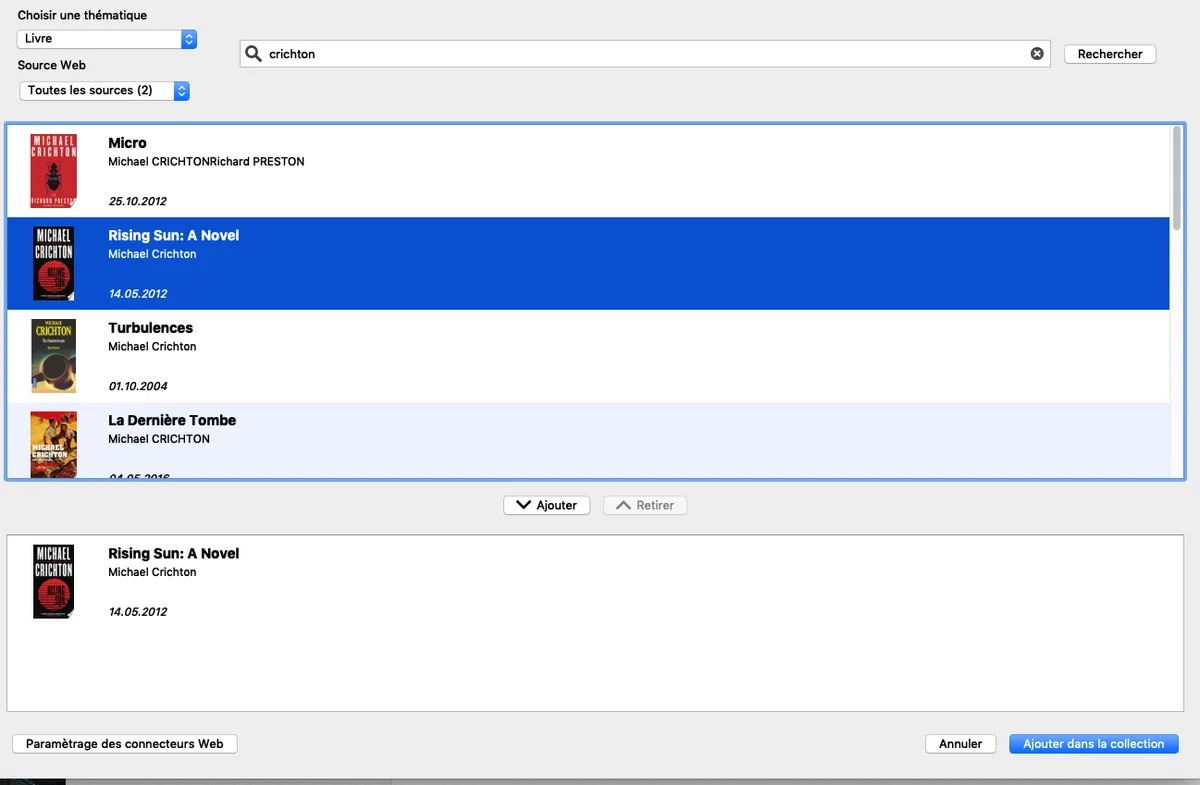
You can search for items in online databases by entering keywords and then launching the search. From the results, select the items you want, then retrieve them and add them to your collection.
To search for and retrieve items using keywords:
- Choose a category (Video, Music, Books, Comics, or Video Games) and a database.
- Enter one or more keywords.
- Once the results are available, select one or more items and click "Add."
2. Search by barcode
Launch the online application using the QR code that you can scan with your smartphone.

If the QR Code is too small, click on it to enlarge it.
Leave the Numento 2 import window open.
Scan your barcode. The barcode will appear in Numento 2 and the search will begin.
Unfortunately, very few databases have a complete list of barcodes (Amazon has the most comprehensive list, but unfortunately it is blocked in France). Some barcodes will remain untraceable. Our system is very flexible, and we will integrate other connectors as soon as more powerful ones become available in API form.