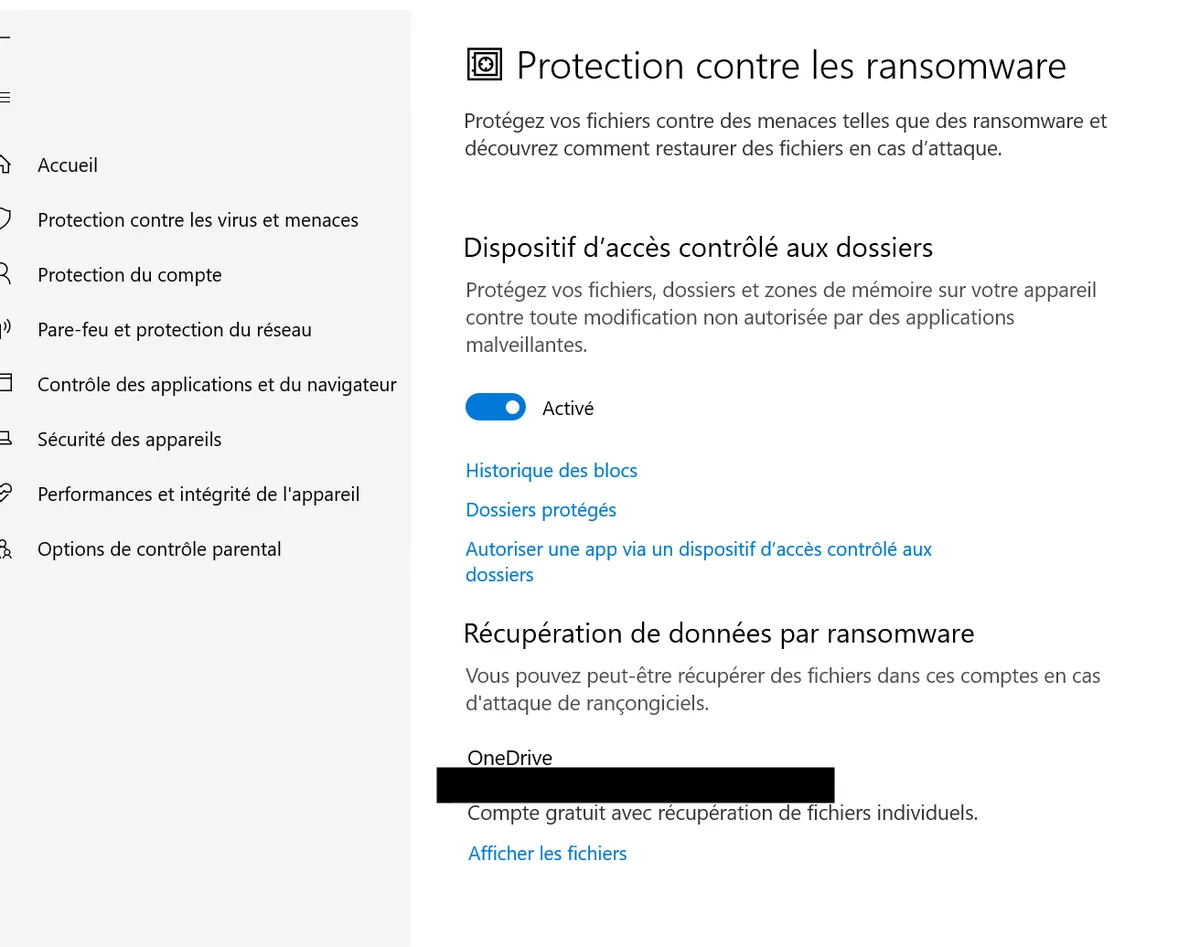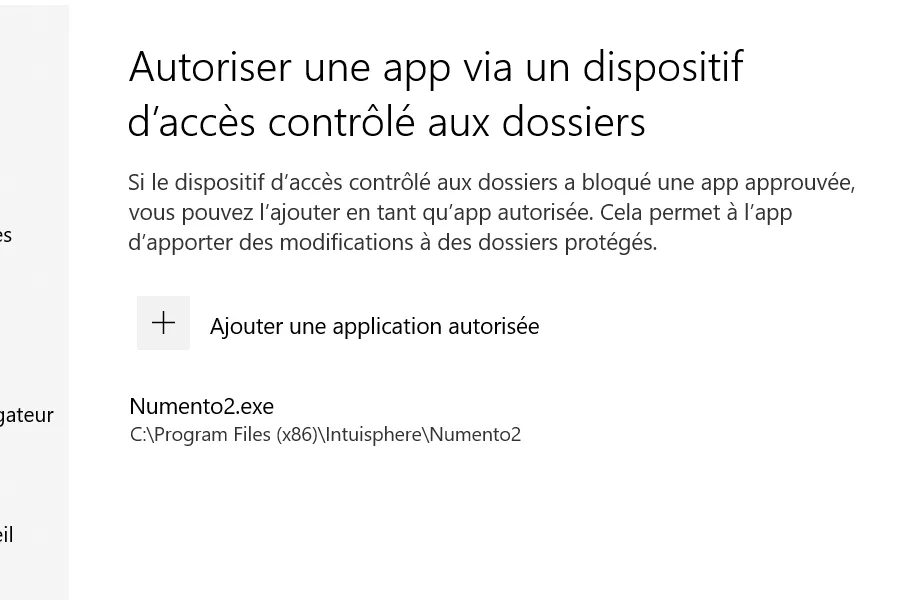
Allow the application with Windows 10 anti-ransomware
Windows 10 includes a security system that protects against malicious programs A message will appear in the application "Write error" when attempting to open a project.
You must set the application's write permissions
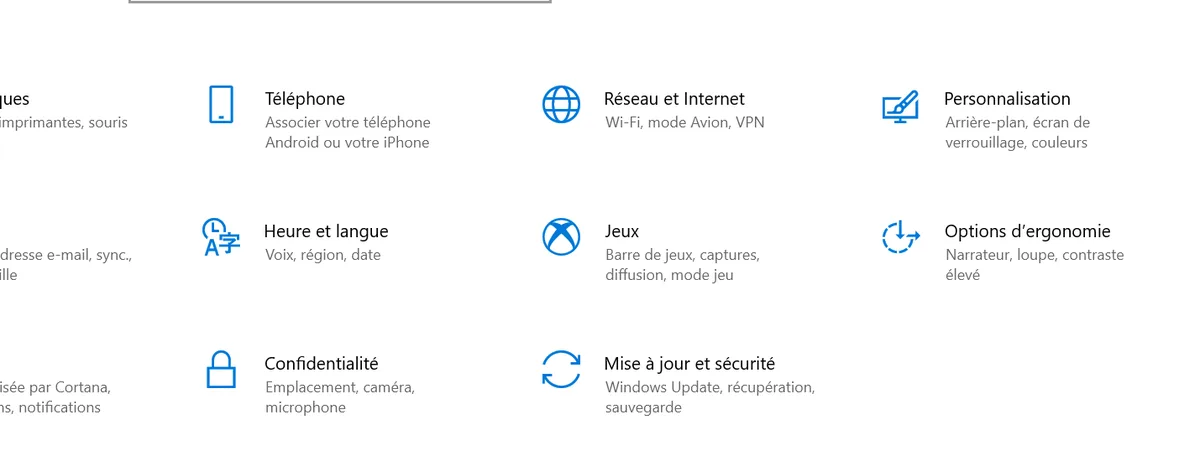
1 - Go to Windows 10 settings -> Update & Security
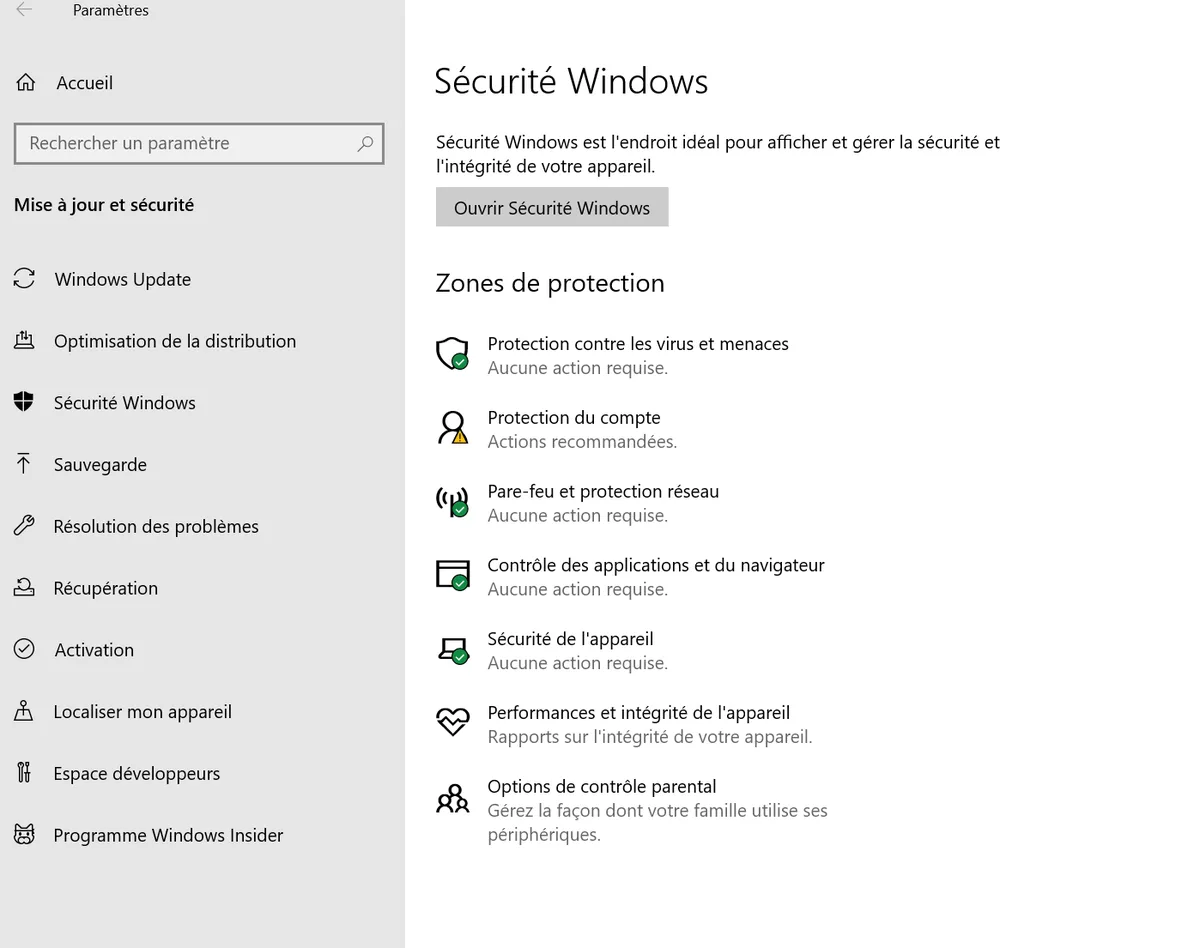
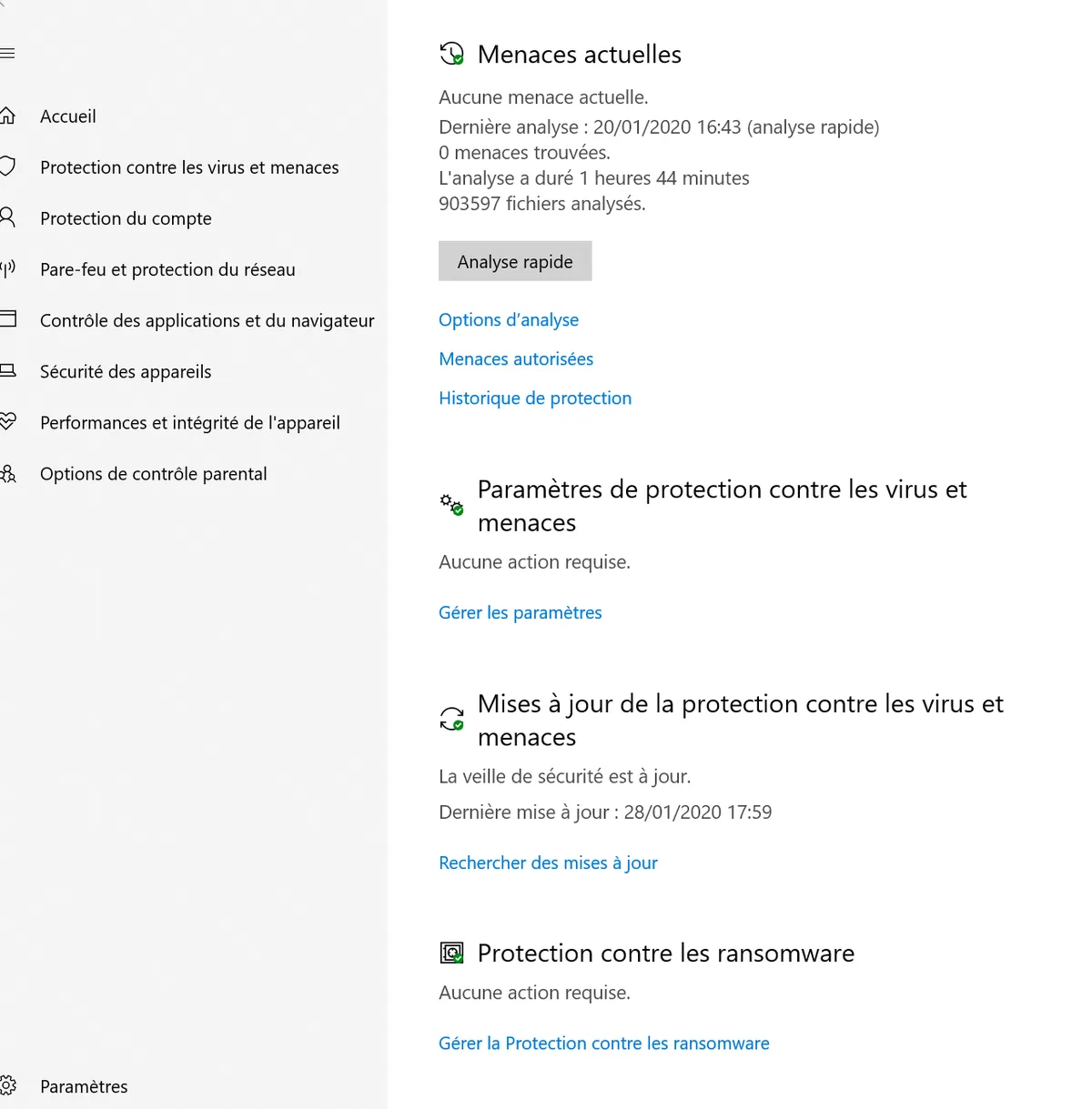
2 - Virus & threat protection
3 - Ransomware protection -> Manage ransomware protection
4 - Authorize an app via an access device